LookAway
 LookAway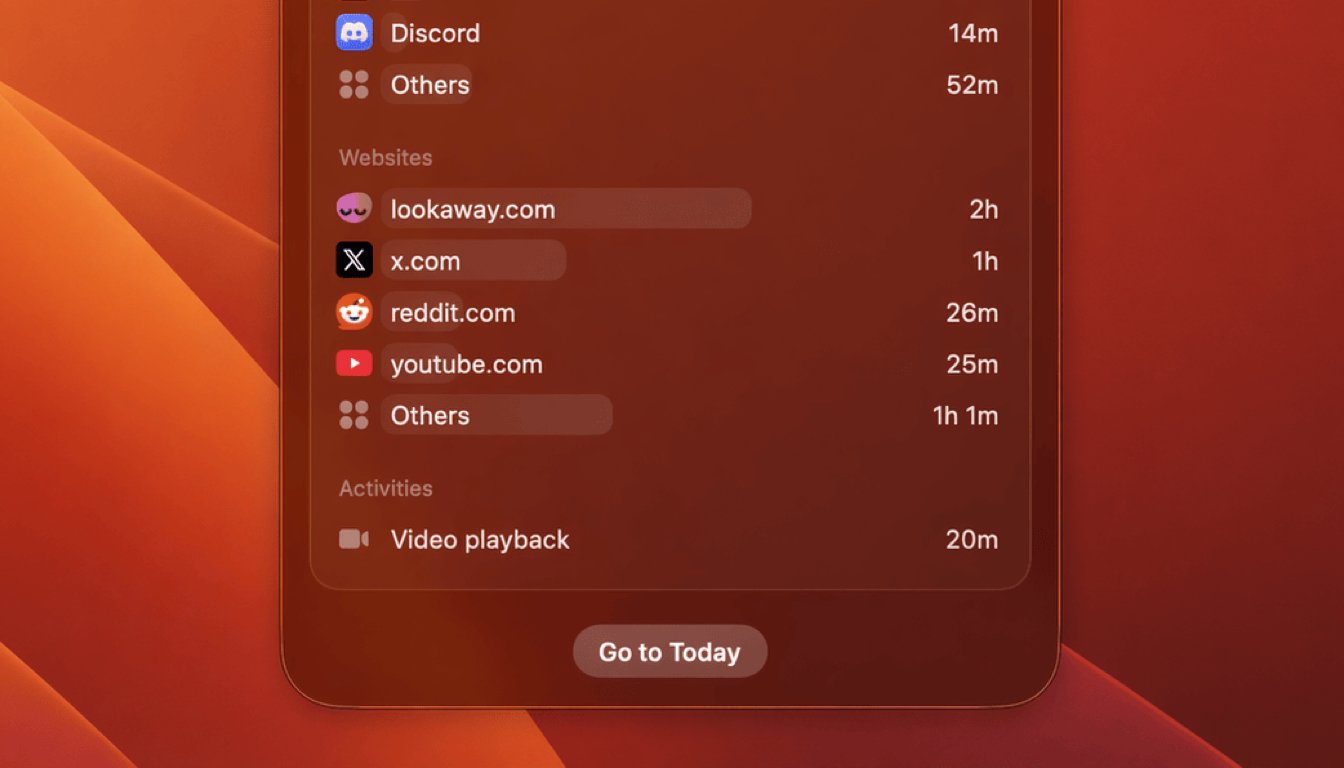
LookAway 2.0 was all about giving the app a new foundation: a redesigned interface, Screen Score, Quick Look, and a much better stats experience overall.
LookAway 2.1 is a smaller update, but a useful one. It adds website usage stats and per-session snooze limits.
Website usage stats
Browser time was always a bit too broad in Stats. If you spent 5 hours in Safari or Chrome, that still did not tell you where that time actually went.
LookAway 2.1 now breaks supported browser activity down by website domain, so you can see things like github.com, youtube.com, or docs.google.com instead of only seeing one big browser bucket.
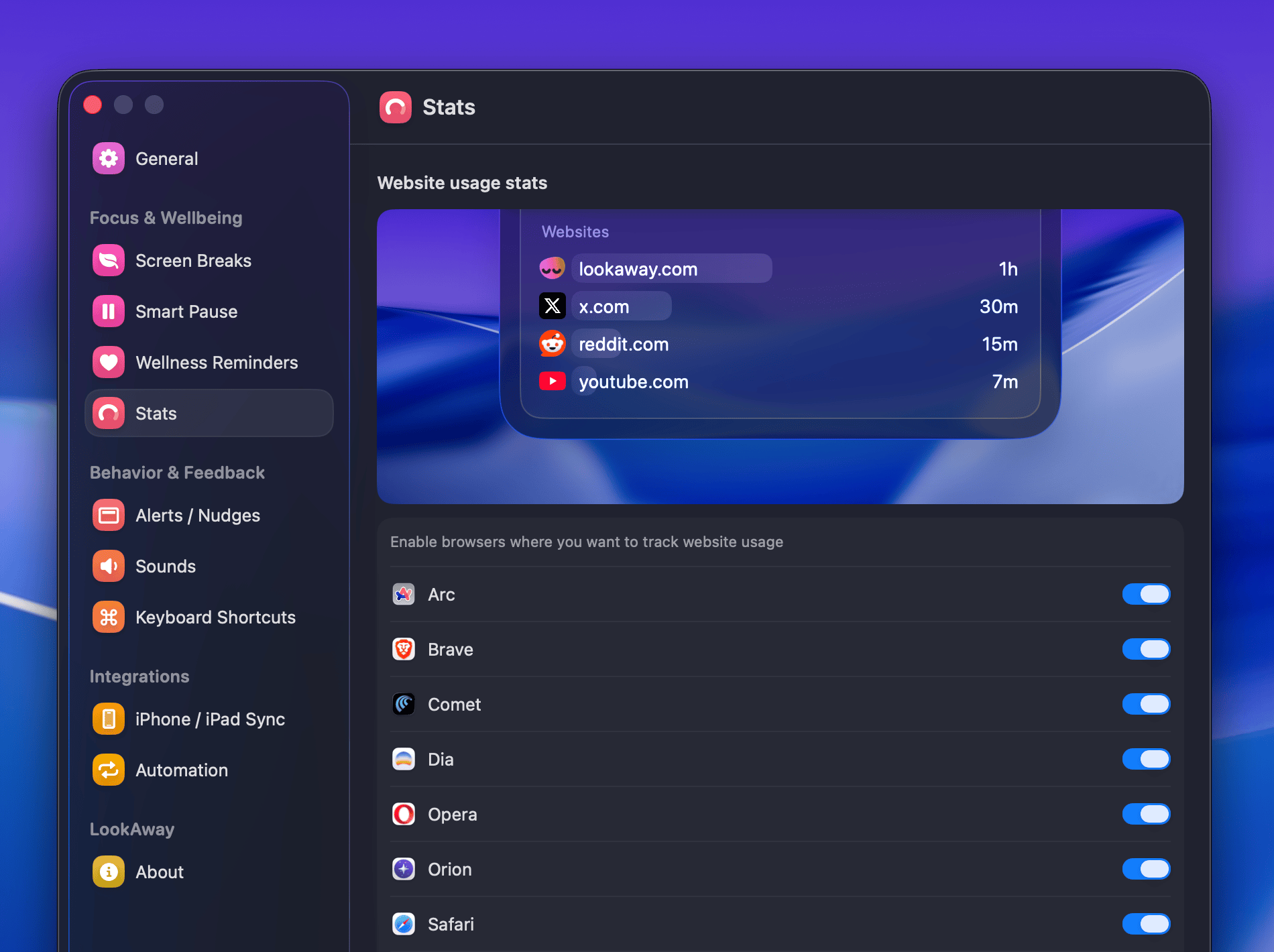
You can enable website tracking from the Stats settings page inside the app. If you want the full breakdown, I also added a dedicated Stats documentation page.
Browser support
Website usage tracking is available for a wide range of browsers, including Safari-based and Chromium-based browsers.
For Firefox and other Gecko-based browsers, website tracking is available in the standalone and Setapp versions of LookAway, but not in the App Store version.
Per-session snooze limits
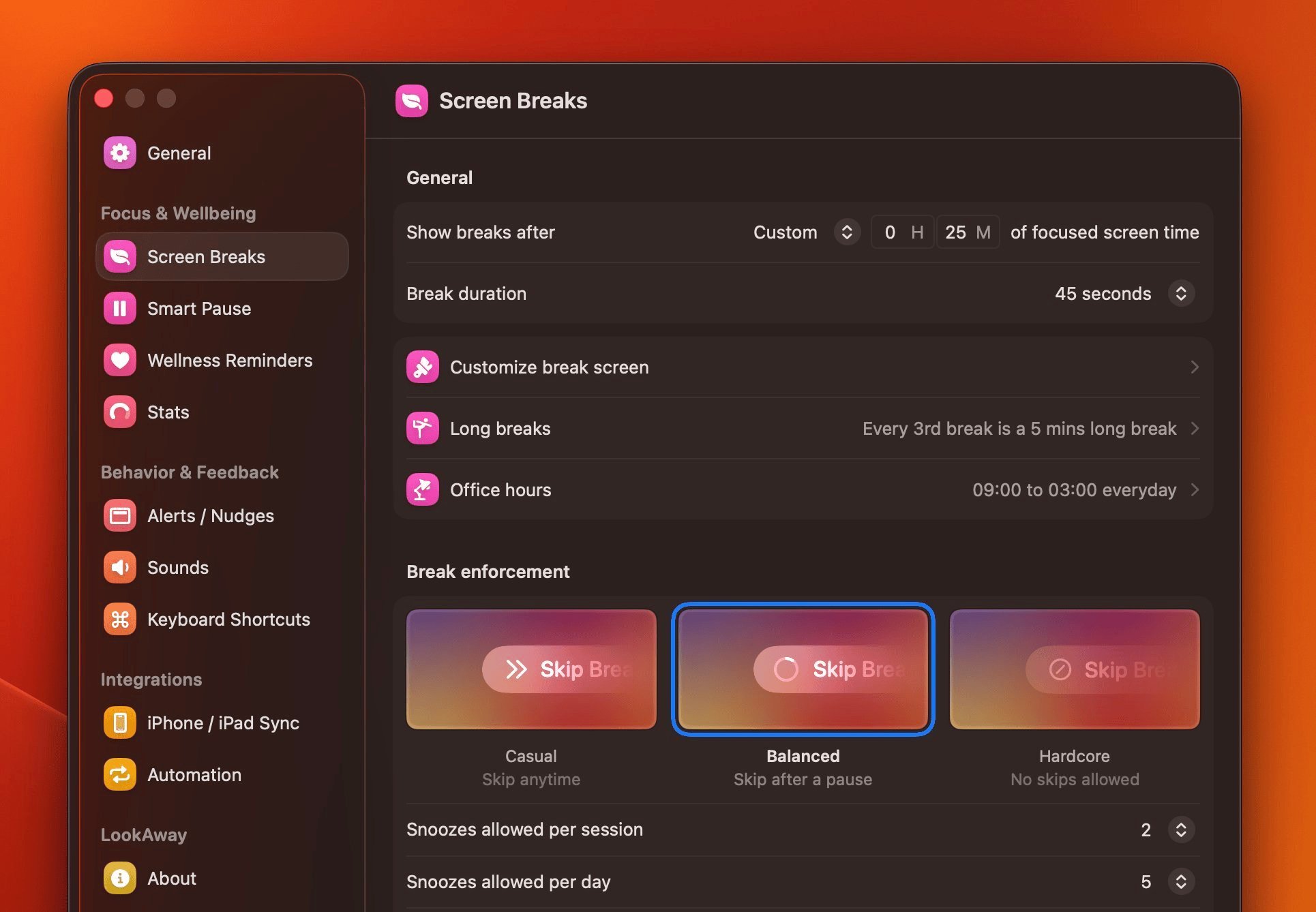
LookAway 2.0 added snooze limits per day. With 2.1, you can now also limit snoozes per session.
So for example, you can allow 5 snoozes per day, but only 2 in a single session. This makes it much easier to keep one long work stretch from endlessly drifting forward.
LookAway 2.1 is available now. If you try the new website stats or set up per-session snooze limits, I would love to hear how they feel in real use.

Try LookAway
LookAway is a smart break reminder that helps reduce eye strain, digital fatigue, and maintain better posture - so you can end your day feeling fresh.