LookAway
 LookAway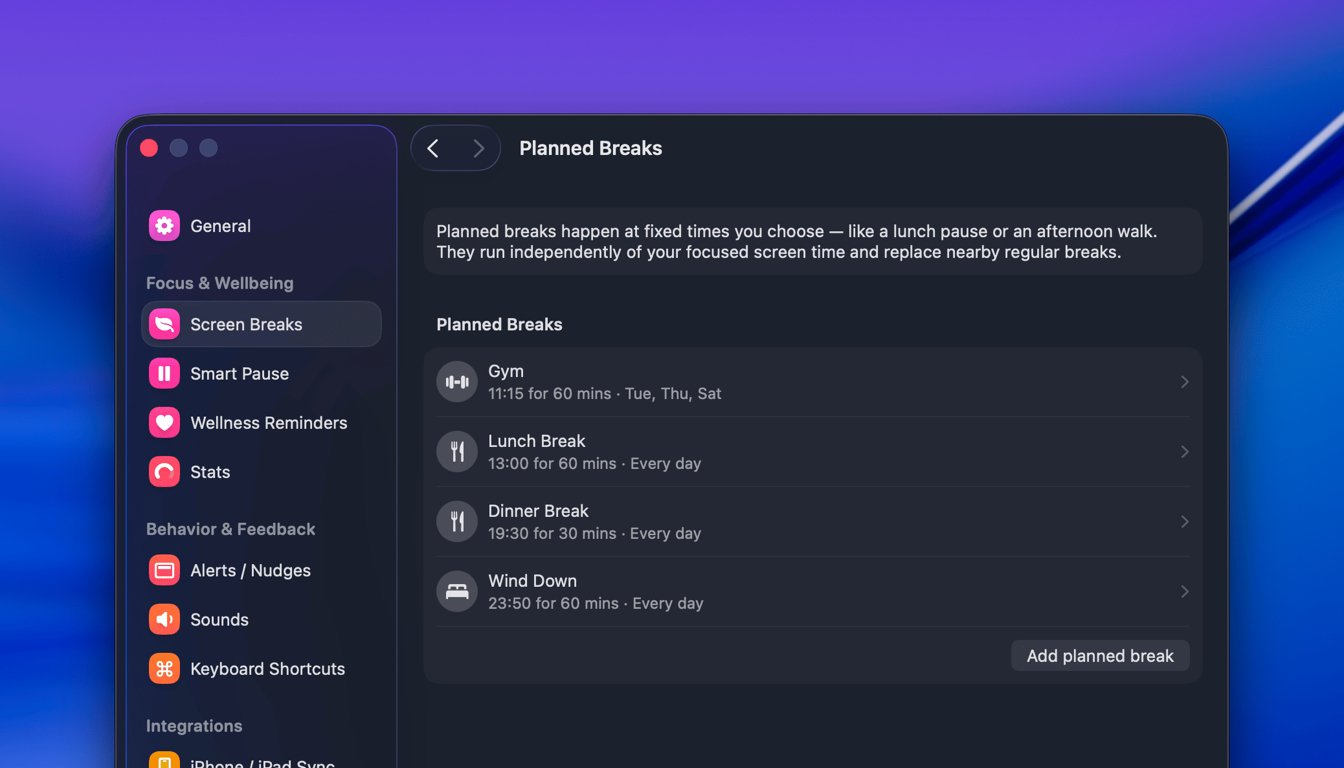
Until now, LookAway breaks were all about intervals: take a short break every 20 minutes, a longer one every so often, and pause when you're busy. That works well for protecting your eyes throughout the day, but it never matched the parts of your day that happen at a fixed time, like lunch, a standing afternoon walk, or a hard stop at the end of work.
That's what Planned Breaks are for.
A Planned Break happens at a time you choose, with a name and duration you set. "Lunch at 1:00 PM for 15 minutes." "Afternoon walk at 4:00 PM for 10 minutes." They run independently of your focused screen time, so they show up whether or not you've hit your next interval break.
Breaks that still respect your flow
The whole point of LookAway is breaks that don't break your flow, and Planned Breaks follow the same rule.
If your lunch break is set for 1:00 PM but you're in a meeting, on a call, sharing your screen, watching a video, gaming, or working in a deep-focus app, the break doesn't barge in. It waits, and tells you why:
You're in a meeting via Zoom, so this planned break will start when you're done.
As soon as you're free, the break is ready for you. It works just like Smart Pause. The time you picked is a target, not a hard interruption.
A few more things it handles quietly:
- If you step away during the window, whether your Mac is idle or locked, that time counts toward the break. Walk away for the full 15 minutes and it just completes. Come back partway and it offers you the rest.
- It won't double up. If a regular interval break is due right around your planned break, LookAway suppresses the regular one so you don't get two breaks back to back.
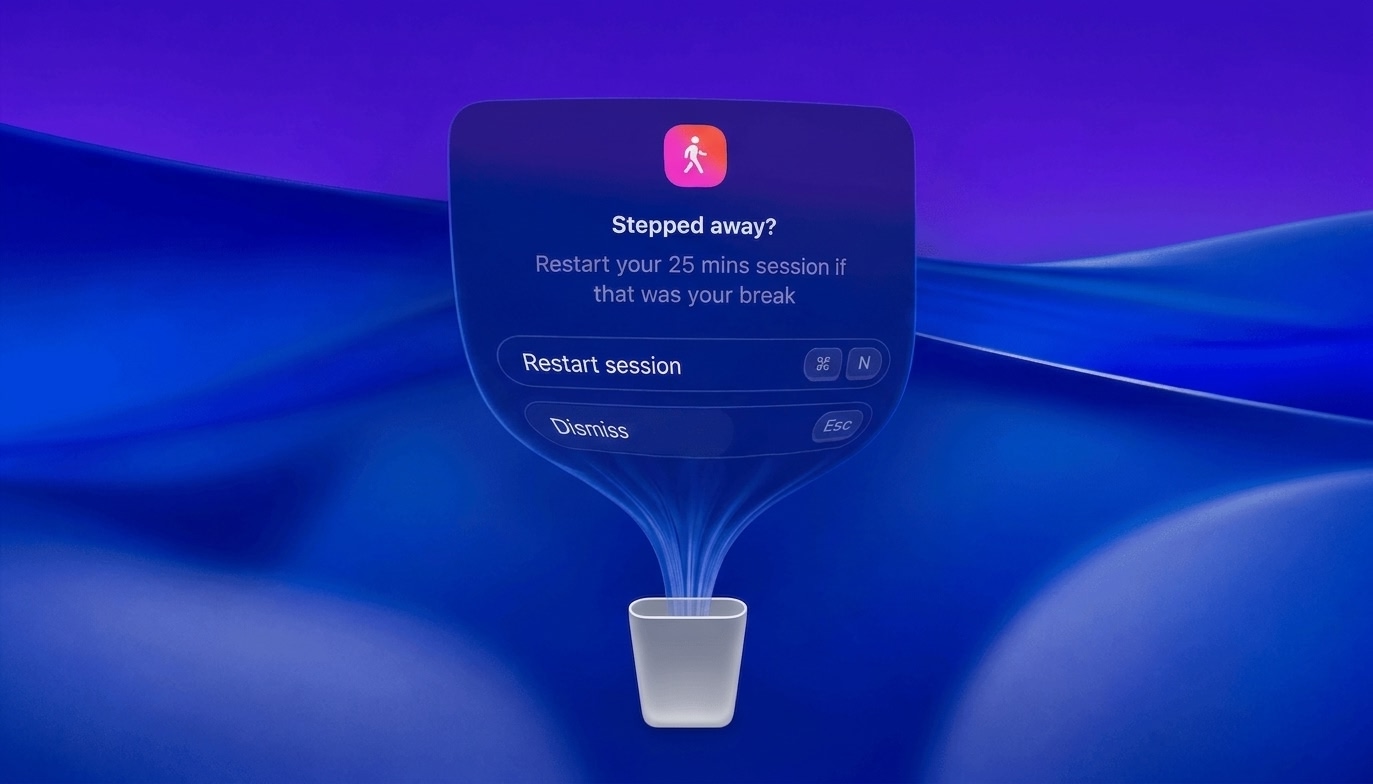
- If it catches you mid-task, it asks instead of forcing it. You can start now, snooze five minutes, or skip for today.
Setting one up
Open Settings → Screen Breaks → Planned breaks and add one.
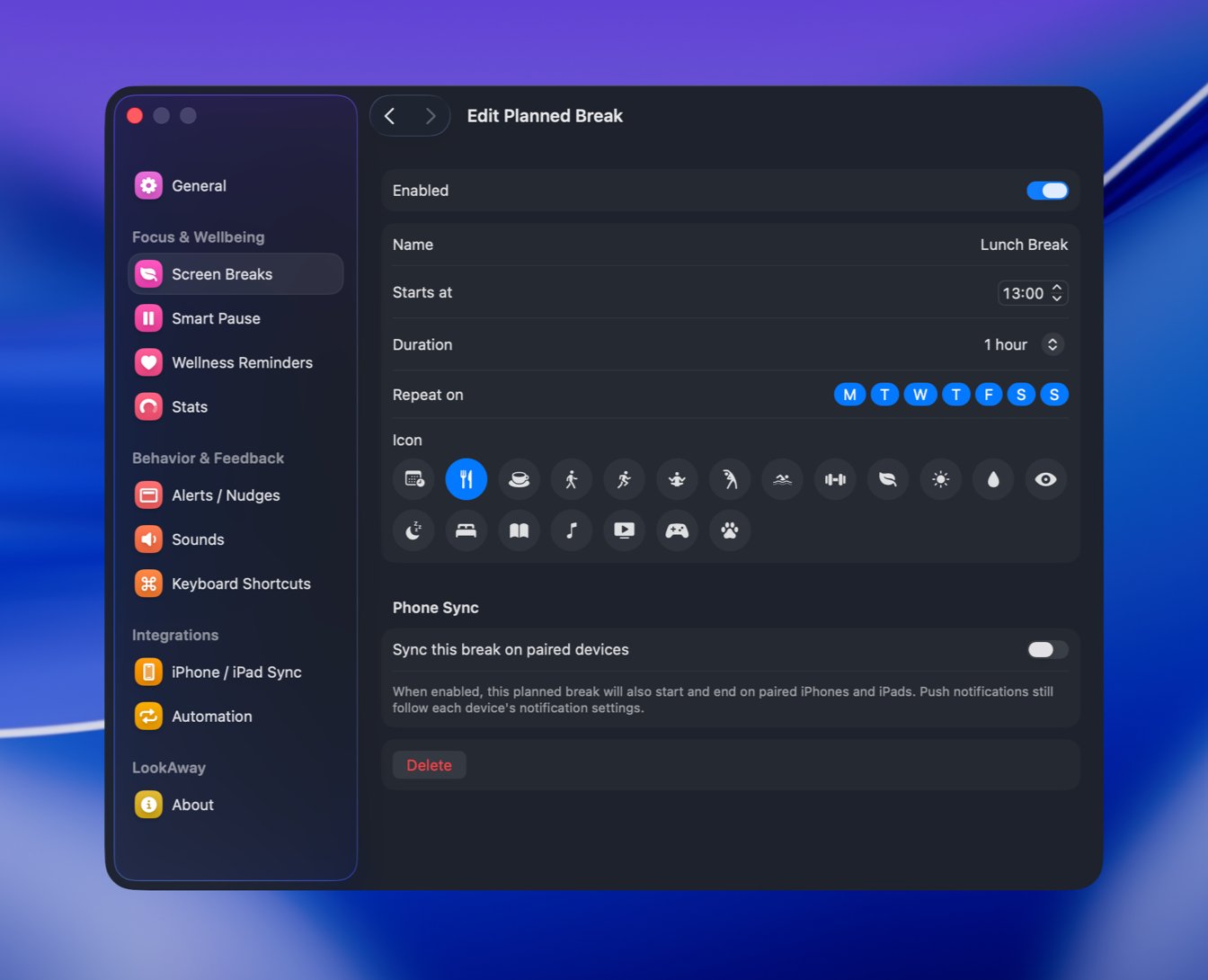
You can set:
- A name like "Lunch" or "Afternoon walk"
- A start time and a duration
- Which days it repeats on: weekdays, weekends, every day, or any combination
- An icon so it's easy to recognize
If you use LookAway on your iPhone or iPad, you can also have a planned break start and end on those devices too.
A few ideas
Planned Breaks are most useful for the moments you already want to protect but tend to skip:
- Lunch. A real pause in the middle of the day instead of eating at your desk.
- An afternoon walk. A recurring nudge at 3 or 4 PM to get outside.
- An end-of-day shutdown. A short break that marks the end of work so it doesn't bleed into the evening.
Planned Breaks are available now and you can read the full details on the Planned Breaks documentation page. Hope this feature makes LookAway even more useful for you.

Try LookAway
LookAway is a smart break reminder that helps reduce eye strain, digital fatigue, and maintain better posture - so you can end your day feeling fresh.