
iPhone / iPad Sync
Sync your breaks between your Mac and iPhone or iPad
LookAway Mirror
The LookAway Mirror app for the iPhone and the iPad lets you sync your Mac breaks to the paired devices. Whenever your Mac goes on a break, the LookAway Mirror app blocks all websites and non-essential apps on these devices to prevent you from picking them up during breaks.
Set-up
To set up LookAway Mirror, first make sure you're running LookAway 1.14.0 or later on your Mac, and that you have downloaded LookAway Mirror on your iPhone or iPad.
On the Mac
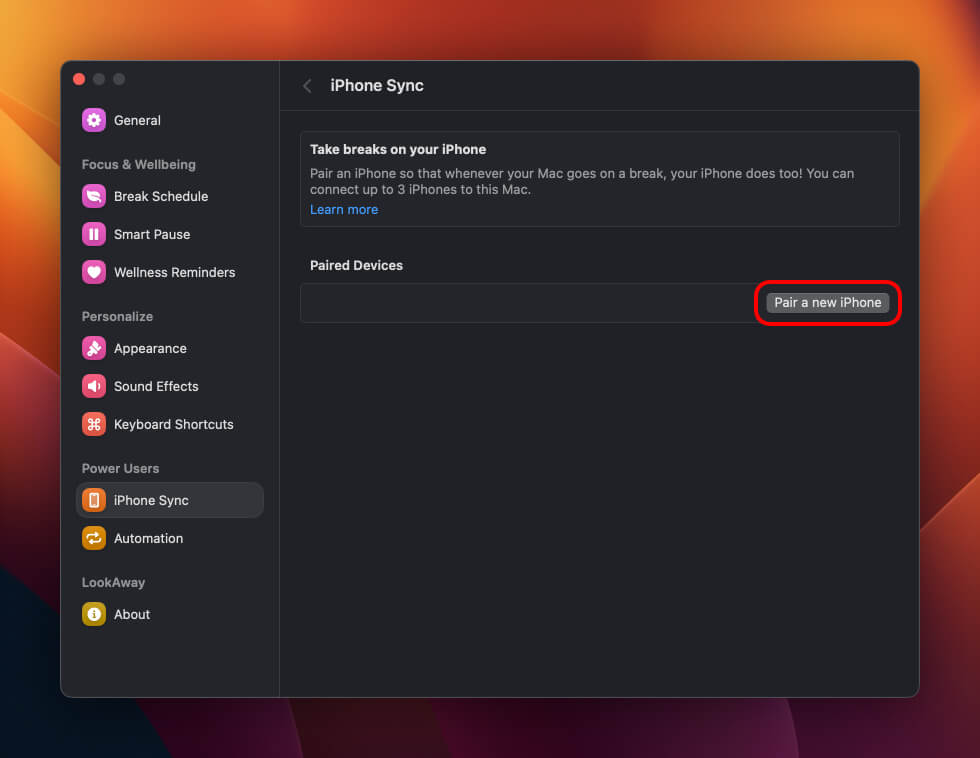
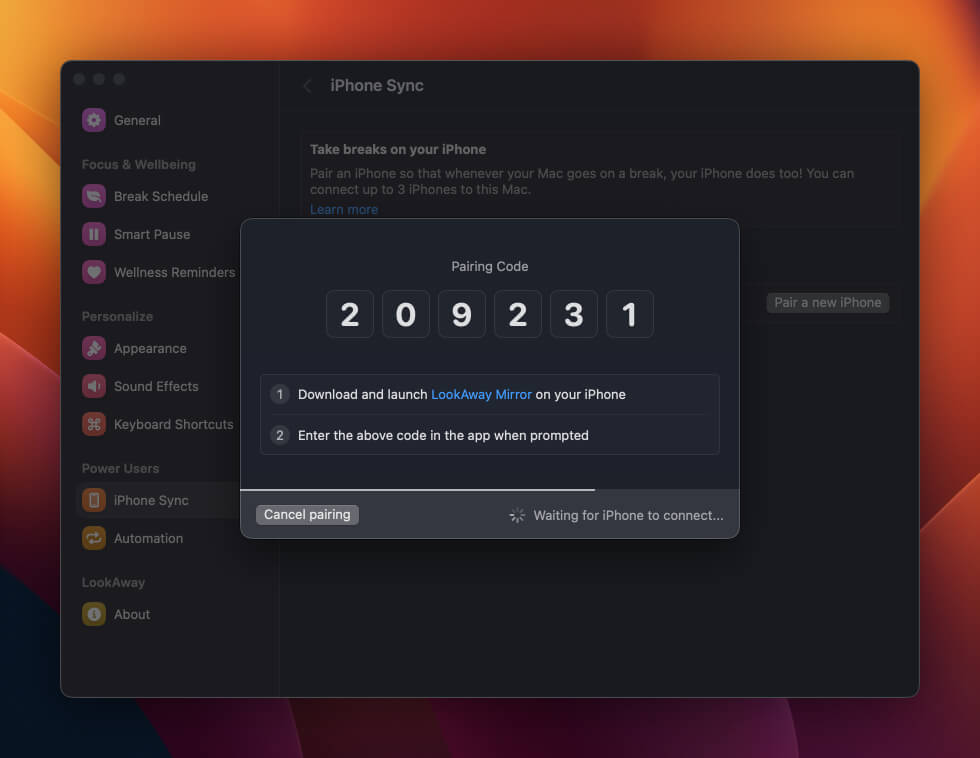
Open LookAway Settings on your Mac, and navigate to the iPhone / iPad Sync page. From there, click on the "Pair a new device" button to see the pairing code.
On the iPhone or iPad
Open the LookAway Mirror app on your device and follow the initial steps to grant the required permissions. Once you reach the Mac pairing step, enter the code displayed on your Mac to pair your device.
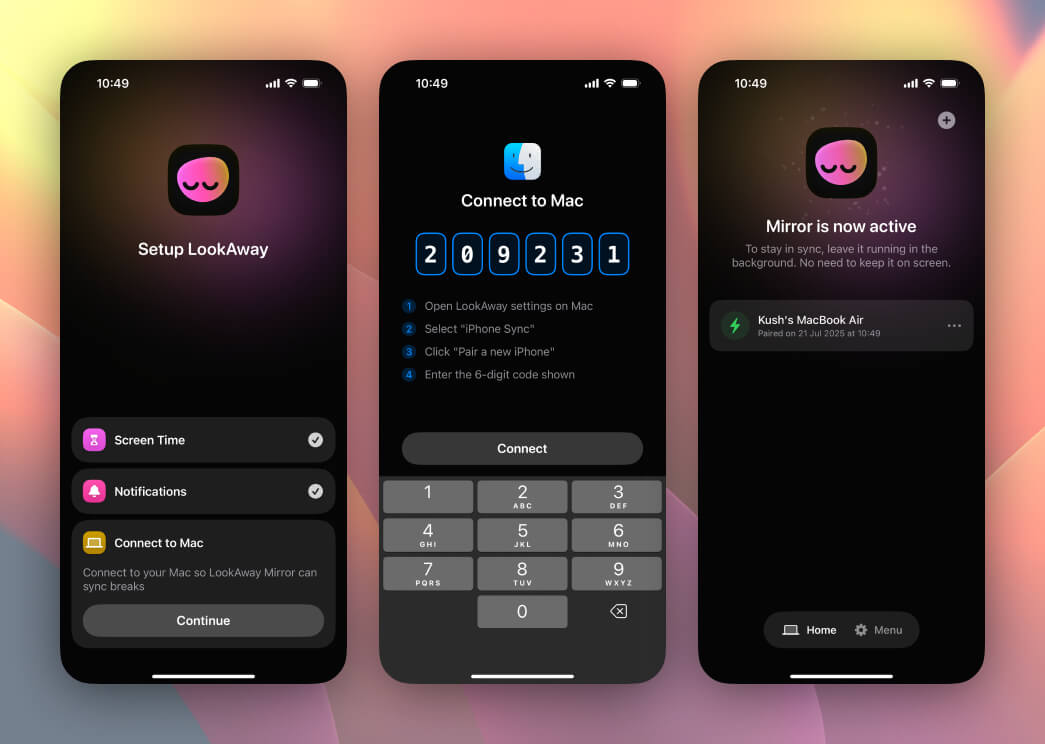
Now, LookAway Mirror will lock every other app and site the moment your Mac goes on a break.
Push Notifications
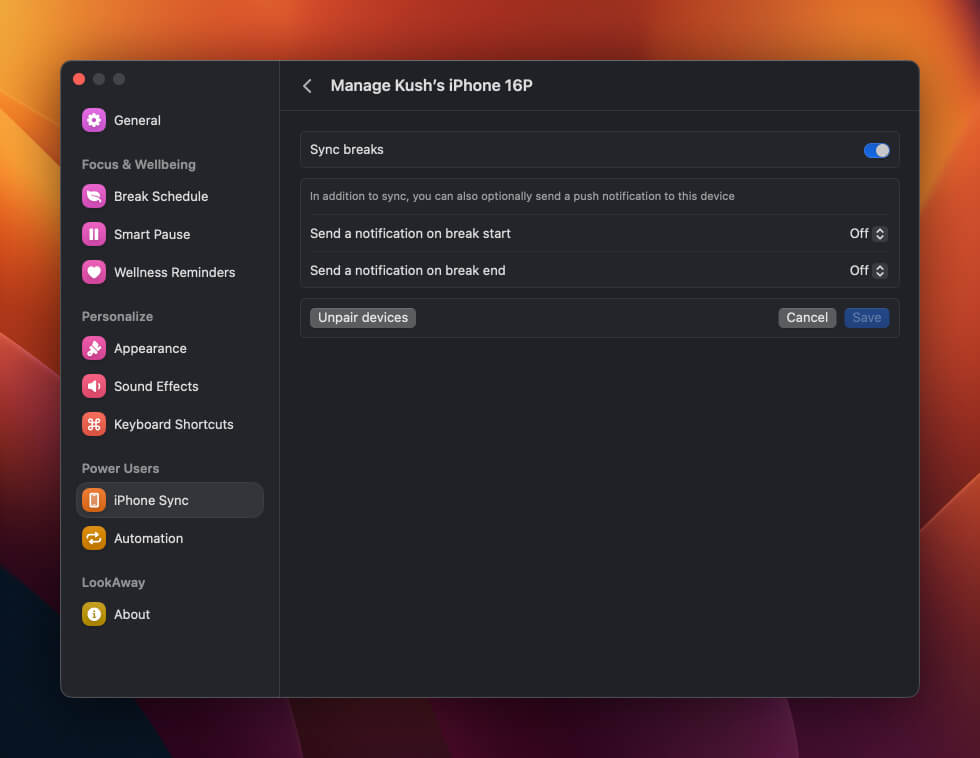
You can also enable push notifications for selected events. Tap on a paired iPhone to manage these settings.
Live Activities
Starting with LookAway 2.4 on the Mac and LookAway Mirror 2.1 on iOS, every synced break shows up as a Live Activity on the paired iPhone or iPad. It appears on the Lock Screen and in the Dynamic Island the moment your Mac goes on a break, and shows the break name, which Mac it's coming from, a live countdown and the time the break ends. Planned breaks also show the icon you picked for them.
No setup is required. Update both apps and the Live Activity starts working with your next break.
Live Activities also make break sync more reliable. When they're enabled, the break arrives on your device even with Low Power Mode on or Background App Refresh turned off, so the warnings for those states in the LookAway Mirror app go away.
Disabling Live Activities
If you'd rather not see the Live Activity, go to iPhone Settings → Apps → LookAway and turn off Live Activities. Breaks will keep syncing over push notifications, but the Low Power Mode and Background App Refresh limits above apply again.
Apple Watch
If you wear an Apple Watch, watchOS mirrors the Live Activity into the Smart Stack a few seconds after the break starts, with a haptic tap. To stop the Watch from buzzing while keeping the Live Activity on your iPhone, open the Watch app on your iPhone, go to Smart Stack → Live Activities, and turn off mirroring for LookAway. Other apps' Live Activities keep mirroring as usual.
Limits
There are a few limits to Breaks Sync:
- All paired devices have to be connected to the internet (doesn't have to be the same network) for the sync to work.
- Force quitting the LookAway Mirror app will stop the break sync. Make sure you keep it running in the background.
- You can pair up to 3 devices to a Mac.
- You can pair up to 5 Macs to an iPhone or iPad.
If you need more or face any issues, please contact us.