
Installation Guide
How to download and install LookAway on your Mac
Download & Install
You can install LookAway in four ways:
- From the official website: Download LookAway
- Using Homebrew: Open Terminal and run:
brew install --cask lookaway - From the App Store: Download on the App Store
- From Setapp: Install via Setapp
Installation Steps
Website Download
- Download LookAway from the official website.
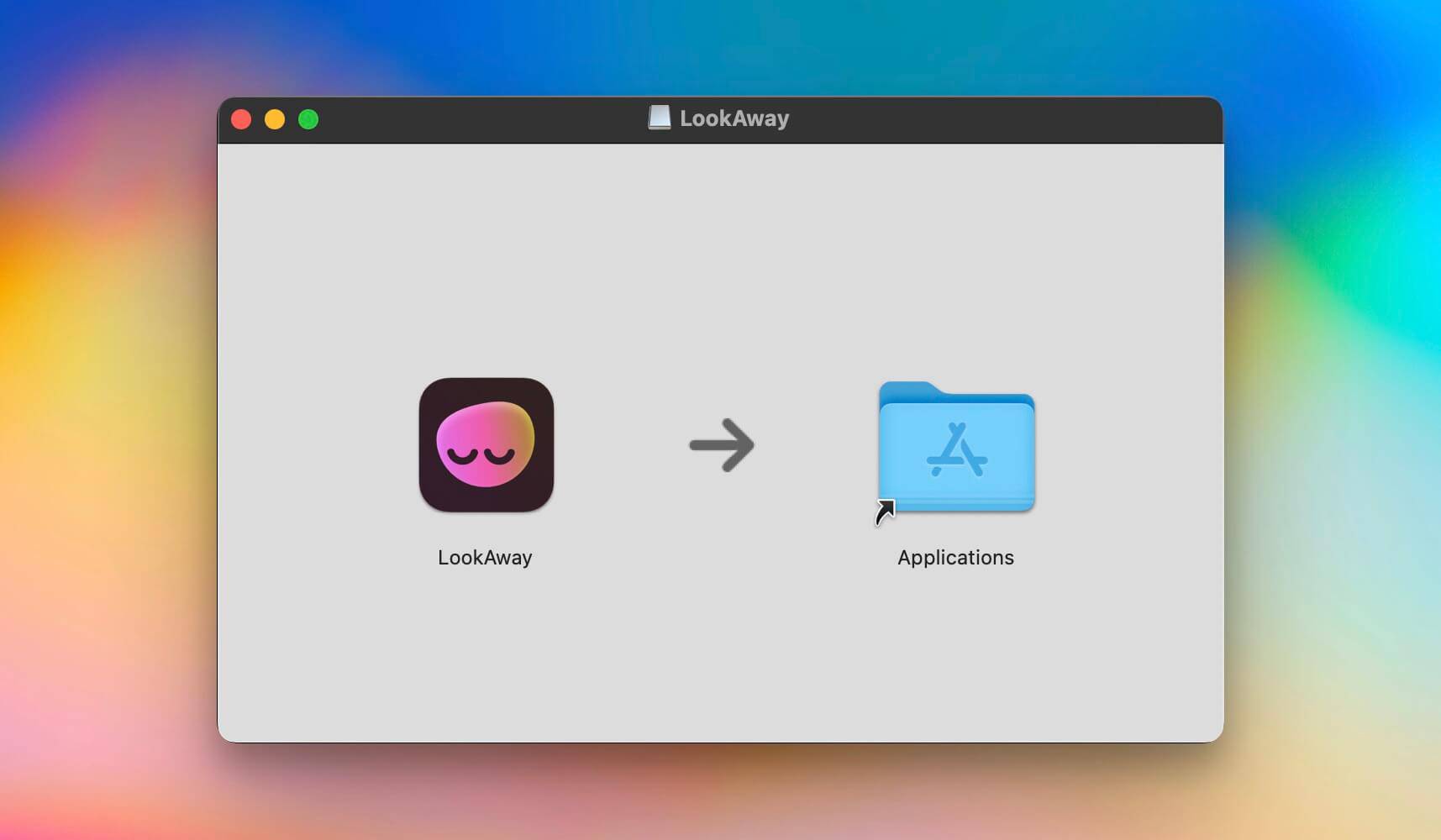
- Open the downloaded
.dmgfile and drag LookAway to your Applications folder. - Launch LookAway from Launchpad or Spotlight.
App Store
- Open the LookAway App Store page.
- Click Get or the download button in the App Store.
- Once installation finishes, open LookAway from Launchpad or your Applications folder.
Setapp
- Open LookAway on Setapp.
- Click Open in Setapp or install the app from the Setapp catalog.
- Once installation finishes, launch LookAway from Setapp, Launchpad, or your Applications folder.
Homebrew
- Open Terminal.
- Run
brew install --cask lookaway. - Launch LookAway from Launchpad or Spotlight.
That's it! LookAway will now run in your menu bar.
First Launch
When you open LookAway for the first time:
- Set your preferred break interval (default is 20 minutes).
- Choose your break duration (default is 30 seconds).
- Decide if you want to enable blink and posture reminders.
LookAway will then start running in the background, ensuring you take regular breaks.
Need Help?
If you run into any issues, contact us at hello@lookaway.app.