LookAway
 LookAway
The best break reminder app for Mac is the one you do not turn off after three days.
That sounds obvious, but it is where most break timers fail. A reminder can be medically sensible, beautifully designed, and completely useless if it interrupts a call, appears while you are presenting, blocks a video, or nags you so often that skipping becomes automatic.
Screen breaks still matter. The 20-20-20 rule is a useful baseline: every 20 minutes, look at something about 20 feet away for at least 20 seconds. The American Optometric Association points screen users toward the same habit for digital eye strain, and OSHA's computer workstation guidance also recommends looking away and blinking at regular intervals during long monitor use.
But a Mac app has to solve the practical problem, not just repeat the rule. You need something that fits around meetings, deep work, video, external monitors, posture, and your own tendency to override healthy advice when you are busy.
I make LookAway, so this comparison is not neutral. The goal is still to be fair: what each app does well, where it falls short, and who each one is best for.
Prices, feature notes, and release recency below were first checked in April 2026 and updated where noted. App Store pricing and features can change, so treat them as a snapshot rather than permanent facts. For update status, I treat apps with no visible update in the past year as likely abandoned.
What matters in a Mac break reminder
Before comparing apps, it helps to separate "timer features" from "will I actually keep using this?" features.
A basic timer needs only three things: work duration, break duration, and a notification. That is enough if your day is predictable and you rarely ignore reminders.
Most Mac users need more than that.
| What to check | Why it matters |
|---|---|
| Smart pause | Breaks should avoid calls, meetings, screen sharing, full-screen video, games, and chosen focus apps. |
| Gentle enforcement | If breaks are too easy to skip, they become decorative. If they are too strict, you disable the app. |
| Short and long breaks | Eye resets and movement breaks solve different problems. |
| Posture and blink reminders | Eye strain often travels with dry eyes, neck tension, shoulder tension, and slouching. |
| Working hours | A good app should not keep nudging you when the workday is over. |
| Multi-monitor behavior | External displays are normal on Mac, so break screens and notifications need to handle them well. |
| Native Mac integration | Menu bar controls, Shortcuts, AppleScript, Focus awareness, low resource use, and clean settings matter over time. |
| Privacy | Activity and app-usage features should be clear about what is local and what is shared. |
The best app is not the one with the longest settings page. It is the one whose defaults are sensible and whose advanced options exist when you need them.
Best break reminder apps for Mac in 2026
1. LookAway
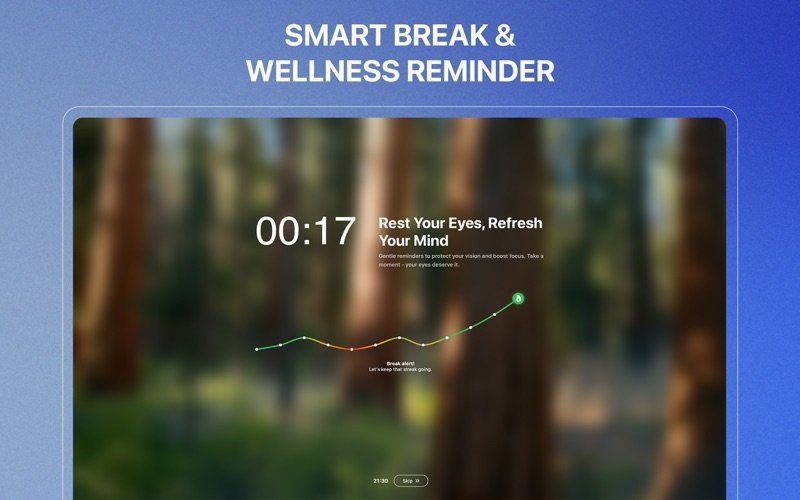
LookAway is built for people who need breaks, but hate being interrupted at the wrong time. It is a native Mac break reminder with short and long breaks, posture and blink reminders, Smart Pause, Screen Score, app and website usage stats, iPhone and iPad sync through LookAway Mirror, and automations through AppleScript and Shortcuts.
The core difference is timing. LookAway can automatically step back during meetings or calls, screen recording, video playback, deep-focus apps, fullscreen games, calendar events, typing, dragging, and idle time. That matters because the moment a break reminder becomes annoying, you start training yourself to dismiss it.
LookAway also has adjustable break discipline. You can keep things casual, delay skipping so you cannot dismiss breaks instantly, or make breaks harder to avoid when you know you need firmer boundaries. Recent versions added Screen Score, detailed stats, animated break backgrounds, per-day and per-session snooze limits, and website usage stats.
Best for: Mac users who spend most of the day at the screen and want a polished, adaptive system instead of a basic timer.
Not ideal if: You only want a free, open-source timer with no paid upgrade path.
Pricing: Direct licenses start at $19 one-time. LookAway is also available on the Mac App Store and Setapp, with different pricing depending on channel.
2. Time Out
Time Out is one of the most established break reminder apps for Mac. It has normal breaks, micro-breaks, configurable schedules, themes, optional postpone and skip buttons, break actions, AppleScript and Automator support, and activity tracking.
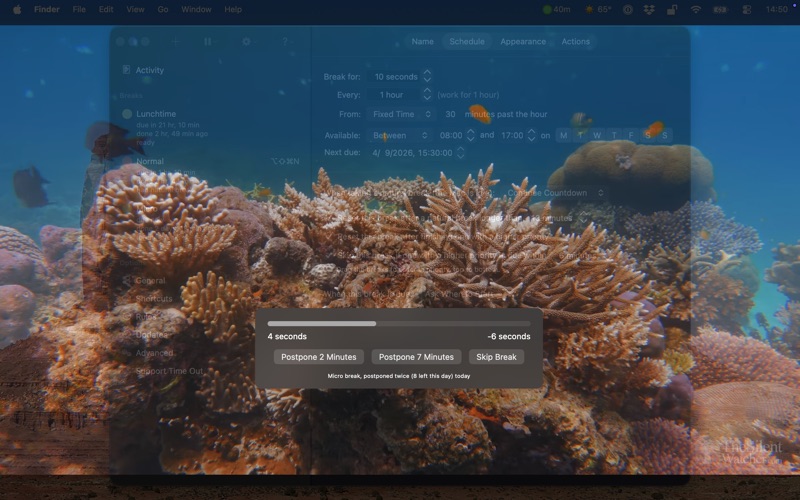
Its strength is flexibility. If you like tuning exactly how breaks work, Time Out gives you a lot of control. It is also friendly to people who want to keep using the app for free, with supporter purchases available for advanced features. Dejal says supporter purchases are not subscriptions and do not auto-renew.
The trade-off is that Time Out can feel more like a configurable utility than a modern adaptive wellness app. It has app exclusions and calendar-related controls, but it is not as focused on automatically detecting meetings, screen recording, games, typing, dragging, phone sync, blink reminders, or posture nudges.
Best for: People who want a mature, flexible Mac break app and do not mind configuring it.
Not ideal if: You want automatic context detection and wellness reminders out of the box.
Full comparison: Time Out vs LookAway for Mac
Pricing: Free to use, with optional supporter purchases listed by Dejal at $4.99, $9.99, and $19.99 as of August 2026.
3. Stretchly
Stretchly is a cross-platform, open-source break reminder for macOS, Windows, and Linux. It supports mini-breaks and longer breaks, customization, skip and postpone behavior, and integrations through community tools like Raycast and Alfred.
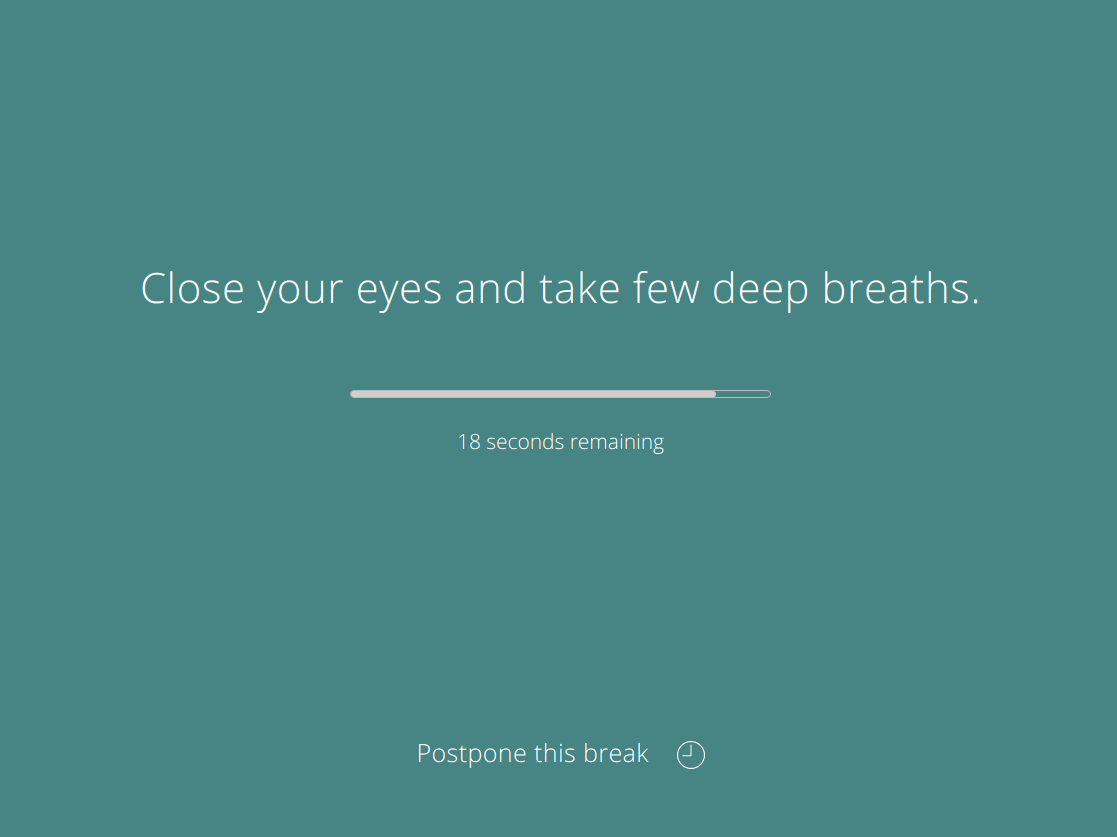
Its biggest advantage is simple: it is free and open source. If you want one break reminder across multiple operating systems, Stretchly is one of the easiest recommendations. It also has a long history and a clear GitHub-based release flow.
The Mac trade-offs are important. Stretchly is Electron-based, and its official download page notes that the app is not signed, so some Mac users may need to work around Gatekeeper or install via Homebrew with --no-quarantine. It also does not feel as deeply integrated with modern macOS as native apps built around the menu bar, Focus Filters, Shortcuts, and system-specific activity detection.
Best for: People who want a free, open-source, cross-platform break reminder.
Not ideal if: You want a polished native Mac app with automatic meeting, video, screen-sharing, and gaming awareness.
Full comparison: Stretchly vs LookAway for Mac
Pricing: Free and open source.
4. BreakTimer
BreakTimer is another open-source option for Windows, macOS, and Linux. It focuses on the essentials: configure your schedule, customize colors and messages, set working hours, and get smart notifications before breaks start so you can skip or snooze when timing is tight.
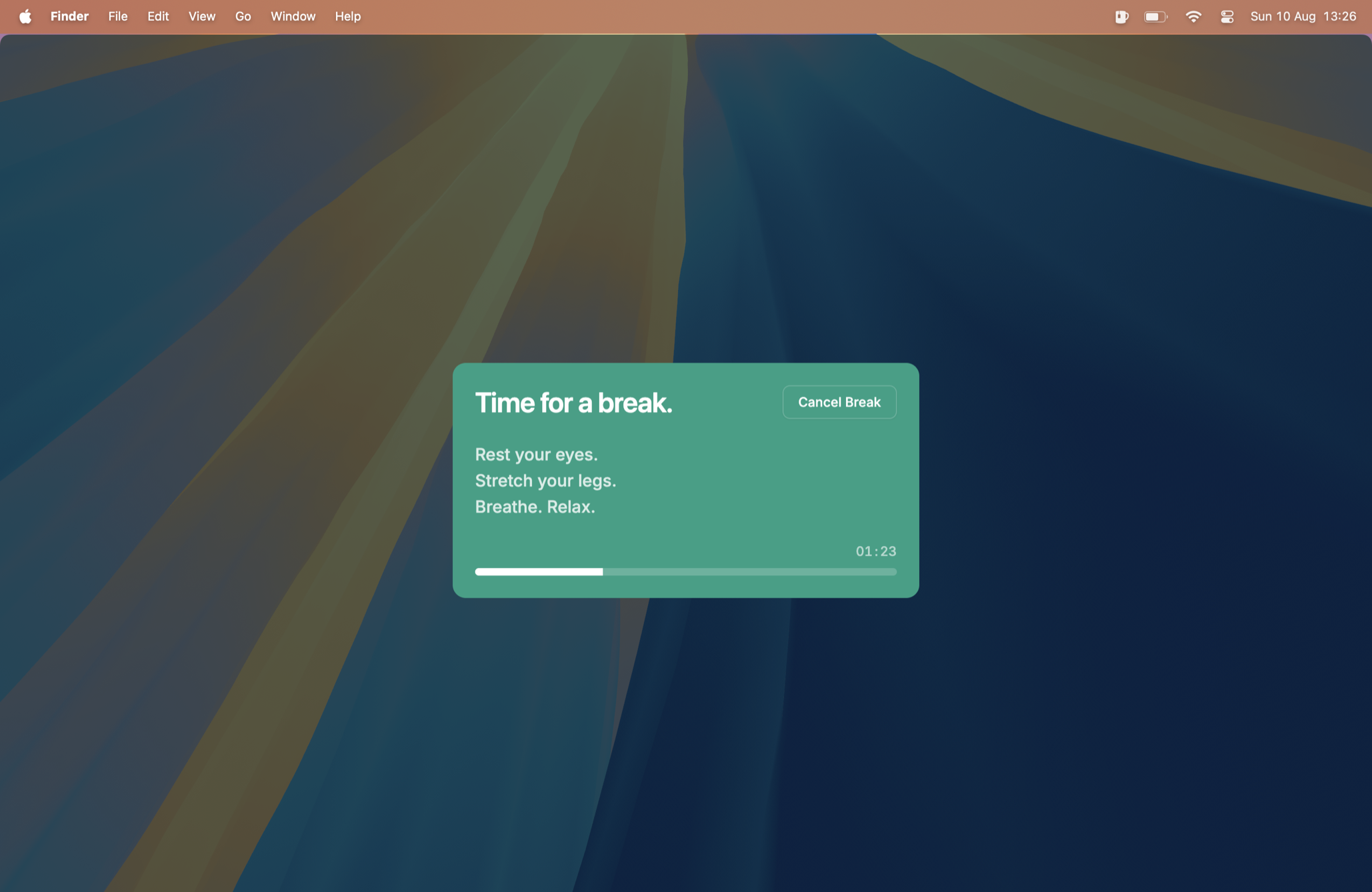
BreakTimer is cleaner and more focused than many older timer utilities. It is a good fit if your main goal is consistency and you do not need a broader wellness system.
The limitations are also clear. The official site says the project does not offer enterprise or commercial deployment support, and the feature set is mostly about scheduled breaks rather than deeper Mac-specific adaptation. If you need posture reminders, blink nudges, iPhone sync, Focus Filters, or activity-aware Smart Pause, you will likely outgrow it.
Best for: People who want a simple, open-source break scheduler with working hours.
Not ideal if: You want advanced wellness reminders or Mac-specific workflow intelligence.
Full comparison: BreakTimer vs LookAway for Mac
Pricing: Free and open source.
5. Viraam
Viraam is a newer Mac wellness app that goes wider than simple screen breaks. It includes eye rest, movement, hydration, mindfulness, walking, sleep-prep reminders, blink and posture nudges, Smart Break Grouping, guided eye exercises, Shortcuts, Siri, Focus Filters, meeting detection, and full-screen video detection.
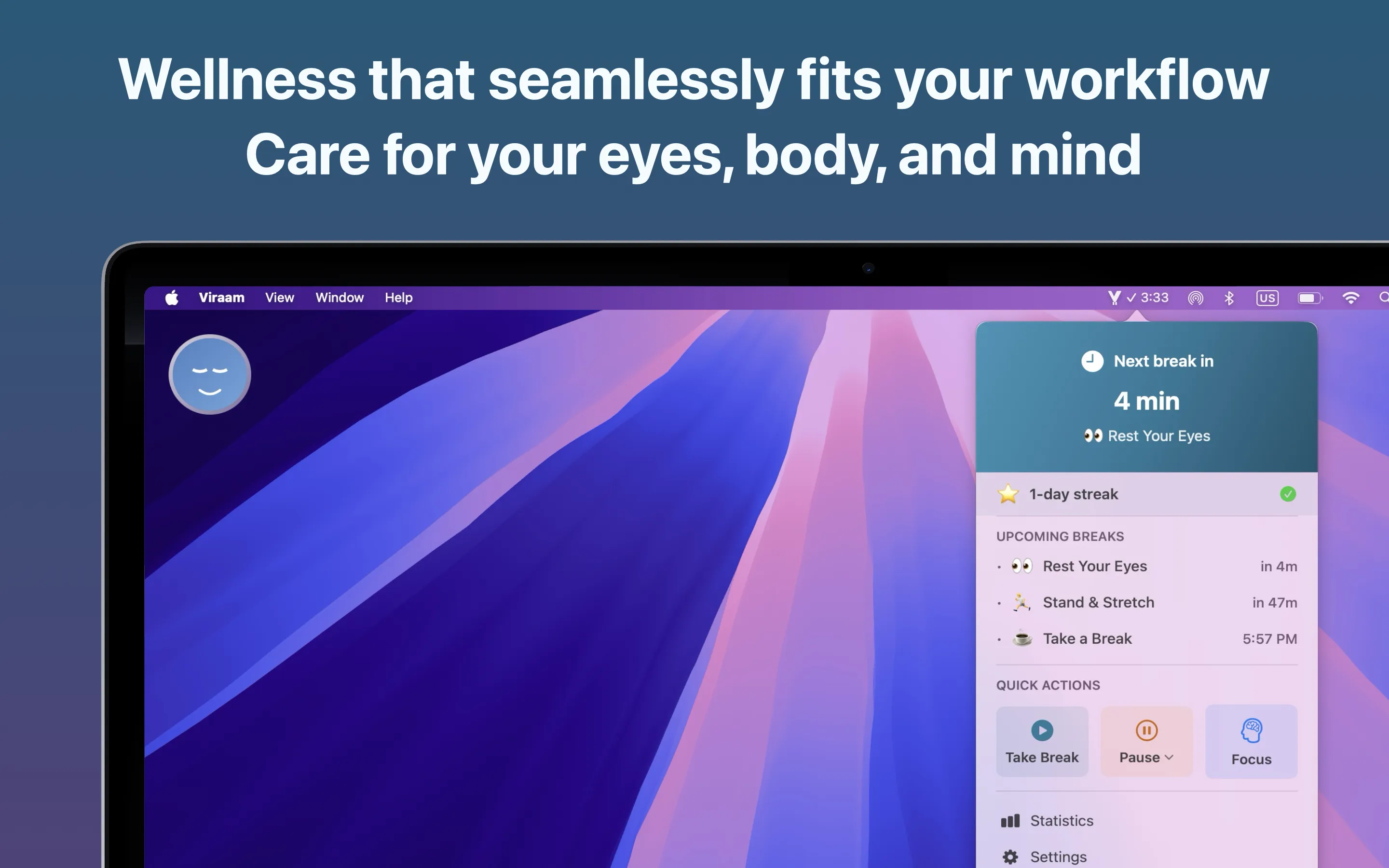
Its strongest idea is that a break reminder can cover more than eye strain. If you want one app to nudge you to stretch, drink water, walk, meditate, and prepare for sleep, Viraam is aiming directly at that broader wellness use case.
The trade-off is focus. If you only want the best possible screen-break system for Mac work, a broader wellness app may feel like more than you need. It also requires macOS 14 or later, which excludes older Macs.
Best for: People who want an all-in-one wellness reminder for eyes, posture, movement, hydration, mindfulness, and wind-down.
Not ideal if: You want a narrower Mac break reminder focused primarily on screen breaks and work context.
Pricing: Viraam lists a 14-day free trial and a $14.99 one-time early adopter price as of April 2026.
6. Take a Break (likely abandoned)
Take a Break is a straightforward Mac App Store break timer. It supports 20-20-20 style reminders, longer stand-up breaks, automatic screen lock, sound at break end, a menu bar countdown, and automatic pause while watching video according to its App Store listing.
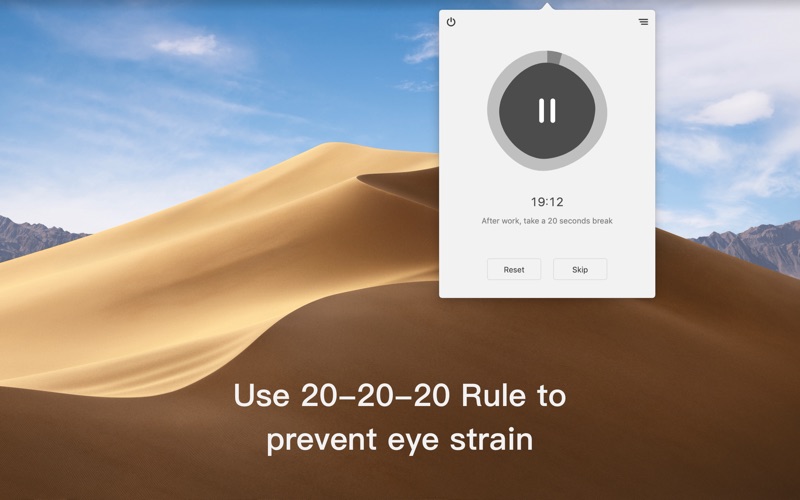
The appeal is simplicity and price. If you want a cheap app that reminds you to look away and stand up, it may be enough.
The downside is update recency. Its last visible App Store update was January 3, 2025, so as of April 2026 it has gone more than a year without a visible update. That does not mean it cannot still work, but I would treat it as likely abandoned compared with more actively maintained options.
It is also not as advanced as the newer adaptive tools. You will not get the same depth of meeting detection, screen-sharing awareness, posture and blink reminder customization, stats, or Mac workflow automation.
Best for: People who want a low-cost, simple Mac break timer.
Not ideal if: You need smarter context detection or a more polished long-term habit system.
Pricing: Free download with a $1.99 Pro unlock listed on the Mac App Store.
7. Give Me A Break
Give Me A Break is a lightweight macOS menu bar app for break reminders, posture checks, and stand/sit switching. It is open source, requires macOS 14 Sonoma or later, and positions itself around local privacy with zero network requests.
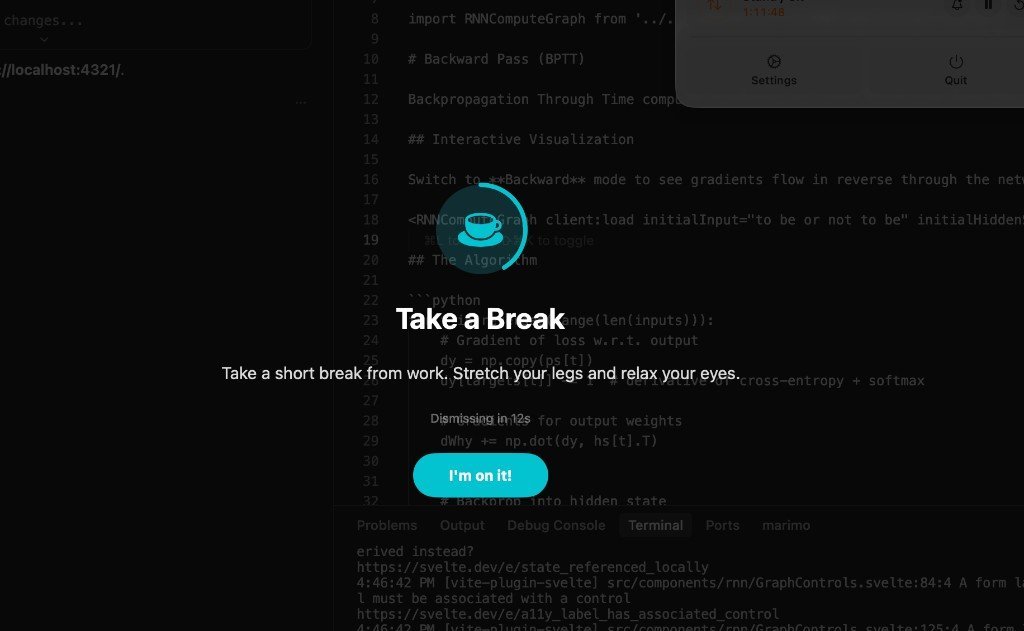
The interesting detail is its optional Apple Intelligence integration for varied reminder text generated on-device. That makes it feel modern without becoming cloud-dependent.
The app is intentionally small. That is a strength if you want a local, minimal utility, but it also means it does not try to compete with bigger products on stats, Smart Pause breadth, iPhone sync, or detailed break enforcement.
Best for: People who want a minimal, local, privacy-first menu bar app.
Not ideal if: You want a full break planning system with deeper automation and activity detection.
Pricing: Open source, with Mac App Store and direct download options.
8. DeskRest
DeskRest is a newer macOS break and posture reminder that focuses on healthier desk habits during long computer sessions. It includes smart break reminders, posture alerts, video detection, exercises, statistics, custom break screens, and "quitting time" reminders for ending the workday.
Its strongest fit is the overlap between breaks and ergonomics. If you care as much about posture, exercises, and work-life boundaries as eye breaks, DeskRest is more modern and more actively maintained than older simple timers.
The trade-off is that it is another broader wellness system, not a tiny timer. If you only want a minimal menu bar reminder, it may feel like more app than you need. For a feature-by-feature breakdown, see our LookAway vs DeskRest comparison.
Best for: People who want break reminders with posture alerts, exercises, video detection, and work-life boundary features.
Not ideal if: You want the simplest possible timer or a cross-platform open-source option.
Full comparison: DeskRest vs LookAway for Mac
Pricing: Free download on the Mac App Store, with in-app purchases listed as of April 2026.
Comparison table
| App | Best for | Price snapshot | Main strength | Main trade-off |
|---|---|---|---|---|
| LookAway | Best overall Mac break system | From $19 direct, App Store and Setapp available | Smart Pause, Screen Score, posture and blink reminders, iPhone sync, native Mac polish | Paid product |
| Time Out | Classic Mac customization | Free with optional supporter purchases | Mature, flexible, scriptable | Less modern automatic context detection |
| Stretchly | Free open-source cross-platform use | Free | Open source, works across Mac, Windows, Linux | Electron, unsigned Mac app, less Mac-native |
| BreakTimer | Simple open-source scheduling | Free | Clean break schedule, working hours, custom messages | Limited advanced wellness and Mac-specific behavior |
| Viraam | Broader wellness reminders | $14.99 one-time early adopter price | Eye care, movement, hydration, mindfulness, guided exercises | Broader than a focused break app, macOS 14+ |
| Take a Break (likely abandoned) | Low-cost simple timer | $1.99 Pro unlock | Cheap and straightforward | No visible update since January 2025; basic compared with adaptive tools |
| Give Me A Break | Minimal local menu bar utility | Open source | Privacy-first, local, simple posture and stand/sit reminders | Smaller feature set |
| DeskRest | Smart posture-focused alternative | Free download, in-app purchases | Break reminders, posture alerts, exercises, video detection | Broader wellness app rather than a tiny timer |
Which one should you choose?
Choose LookAway if you work on a Mac all day and want the most complete break reminder: smart timing, gentle enforcement, posture and blink reminders, stats, iPhone sync, and Mac-native controls.
Choose Time Out if you want a mature free Mac app with deep configuration and you are comfortable setting things up yourself.
Choose Stretchly if open source and cross-platform support matter more than native Mac polish.
Choose BreakTimer if you want a clean free scheduler without many extra wellness features.
Choose Viraam if you want an all-in-one wellness companion that includes hydration, mindfulness, movement, and guided eye exercises.
Choose Take a Break only if your needs are simple, you mainly want a low-cost timer, and you are comfortable with a likely abandoned app. Choose Give Me A Break if you want a lightweight option that is still visibly maintained.
Choose DeskRest if you want a modern Mac app that combines break reminders with posture alerts, exercises, video detection, and end-of-day boundary reminders.
The bigger point is this: a break reminder is not supposed to win a feature checklist. It is supposed to change what happens on a real workday.
If you keep ignoring your breaks, pick something with firmer enforcement. If you keep getting interrupted at bad times, pick something with smarter pause behavior. If you sit through the whole day with dry eyes, stiff shoulders, and no memory of when you last looked away, pick the app that makes recovery automatic enough to survive your schedule.
That is what a good break reminder is for.

Try LookAway
LookAway is a smart break reminder that helps reduce eye strain, digital fatigue, and maintain better posture - so you can end your day feeling fresh.